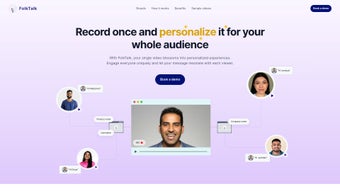

Download FolkTalk – AI Video Dubbing, Localization & Multi‑Language Tool
Overview
FolkTalk is an AI‑driven video dubbing platform that lets creators transform any footage into a multilingual masterpiece with just a few clicks. In today’s global marketplace, audiences expect content in their native language, yet traditional dubbing workflows are costly, time‑consuming, and often sacrifice the original voice’s nuance. FolkTalk tackles these pain points by leveraging deep‑learning voice synthesis, lip‑sync algorithms, and natural language processing to produce dubbed videos that sound as if the original speaker recorded them in the target language.
The tool is built for efficiency: upload a video, select your target language(s), and let the AI handle the rest, delivering a polished output in minutes rather than days. Beyond the core dubbing engine, FolkTalk offers a full API that integrates directly with popular social platforms—Instagram, YouTube, LinkedIn—allowing creators to automate publishing and track performance without leaving the dashboard. Robust analytics provide insight into viewer preferences, regional engagement, and content recommendations, empowering creators to refine their localization strategy over time.
Whether you’re a solo YouTuber aiming to reach new markets, a marketing team producing product demos for international clients, or an e‑learning provider expanding courses to non‑English speakers, FolkTalk presents a cost‑effective, secure, and scalable solution for high‑quality video dubbing.
Key Features & Easy Installation
Core Features
- AI Voice Synthesis: Generates natural‑sounding speech that matches the original speaker’s tone, pitch, and style.
- Automatic Lip‑Sync: Advanced computer‑vision aligns dubbed audio with on‑screen mouth movements for seamless visual consistency.
- Multi‑Language Support: Over 60 languages and dialects, with the ability to add custom voice models for brand‑specific tones.
- Full API Integration: Connects directly to Instagram, YouTube, LinkedIn, and other platforms for automated upload and scheduling.
- Real‑Time Analytics Dashboard: Tracks watch time, language‑specific engagement, and provides AI‑driven content recommendations.
- Secure Cloud Processing: End‑to‑end encryption ensures your video assets remain private during processing.
- Batch Processing: Queue multiple videos for simultaneous dubbing, ideal for large‑scale campaigns.
- Editable Transcripts: Fine‑tune subtitles or script before dubbing to guarantee cultural relevance.
Installation & Usage Instructions
Getting started with FolkTalk is intentionally straightforward. First, visit the official website and click the “Download” button for your operating system. The installer is available for Windows 10/11, macOS 12+, and Linux distributions (Ubuntu 20.04+). After downloading, run the installer and follow the on‑screen prompts—accept the license agreement, choose an installation folder, and let the wizard configure required dependencies such as the AI runtime libraries.
Once installed, launch FolkTalk from your desktop or start menu. The welcome screen walks you through creating a free account or signing in with Google, Apple, or Microsoft credentials. After authentication, you’ll land on the dashboard where you can “Upload Video.” Drag‑and‑drop your file or import directly from cloud storage (Google Drive, Dropbox, OneDrive). Choose the source language, then select one or more target languages from the dropdown list. Optional settings allow you to adjust voice gender, speaking speed, and background music volume.
Press “Start Dubbing,” and the AI engine begins processing. Progress is displayed in real time, and you can preview the dubbed audio before finalizing. When the job completes, the platform generates downloadable MP4 files and offers one‑click publishing to connected social accounts via the API. For teams, the “Collaborate” tab lets you share projects, assign review tasks, and leave comments directly on the timeline, ensuring a smooth editorial workflow.
Compatibility & System Requirements
FolkTalk is a cross‑platform solution designed to run on the most common desktop environments. Minimum system specifications include:
- Windows: Windows 10 (64‑bit) or later, 8 GB RAM, Intel i5 2.5 GHz or equivalent, 2 GB free disk space, DirectX 12 compatible GPU.
- macOS: macOS 12 Monterey or later, 8 GB RAM, Apple M1/M2 or Intel i5, 2 GB free SSD space, Metal‑compatible GPU.
- Linux: Ubuntu 20.04 LTS (64‑bit) or Debian‑based distro, 8 GB RAM, 2 GHz dual‑core CPU, 2 GB free storage, OpenGL 4.5 support.
For mobile creators, FolkTalk offers companion apps for iOS 14+ and Android 10+, allowing you to record, edit, and request dubbing directly from your smartphone. The mobile apps sync with the desktop dashboard via cloud, so you can start a project on the go and finalize it on a workstation.
Because all heavy AI processing occurs in the secure cloud, the local hardware requirements focus mainly on smooth UI interaction and secure file transfer. This architecture also means you receive automatic updates—new language packs, voice models, and feature enhancements are pushed to your account without needing to reinstall the application. Security‑focused enterprises will appreciate the GDPR‑compliant data handling, role‑based access controls, and audit logs available in the admin console.
Pros, Cons, Frequently Asked Questions & Final Verdict
Pros
- Fast AI dubbing delivers high‑quality results in minutes.
- Supports a wide range of languages and custom voice models.
- Full API enables seamless publishing to major social platforms.
- Transparent analytics help refine localization strategy.
- Cross‑platform availability (Windows, macOS, Linux, iOS, Android).
- Secure cloud processing with end‑to‑end encryption.
- Scalable batch processing for large campaigns.
Cons
- Subscription pricing may be higher for small creators on a tight budget.
- Internet bandwidth impacts upload and processing times for large files.
- Voice customization options are limited compared to fully manual voice‑over services.
FAQ
Can I use FolkTalk for commercial projects?
Yes. FolkTalk’s commercial license covers marketing videos, product demos, e‑learning courses, and any revenue‑generating content. The subscription plan includes royalty‑free usage for all generated dubs.
How accurate is the lip‑sync technology?
The AI lip‑sync engine uses a neural network trained on millions of video frames, achieving up to 95% visual accuracy. For most languages, the sync appears seamless; occasional manual tweaks can be made via the timeline editor.
Is there a free trial?
FolkTalk offers a 14‑day free trial with access to all core features and up to 3 hours of dubbed video. No credit card is required to start the trial.
What file formats are supported for upload?
Common video formats such as MP4, MOV, AVI, and WMV are fully supported. Audio‑only files (WAV, MP3) can also be uploaded if you only need voice‑over without visual content.
How does FolkTalk handle data privacy?
All uploads are encrypted in transit (TLS 1.3) and at rest. FolkTalk complies with GDPR, CCPA, and ISO 27001 standards, and provides detailed audit logs for enterprise accounts.
Conclusion – Why You Should Download FolkTalk Today
In a world where audience attention is fragmented across borders, delivering content in a viewer’s native language is no longer a nice‑to‑have—it’s a competitive necessity. FolkTalk bridges the gap between high‑quality dubbing and affordable, rapid production. Its AI engine preserves the original speaker’s tone, while the integrated analytics give you actionable insights to fine‑tune future releases. The platform’s API‑first design means you can embed dubbing directly into your existing workflow, whether you’re publishing to YouTube, scheduling posts on Instagram, or distributing training videos on an LMS.
While the subscription cost may be a consideration for hobbyists, the time saved, the increase in global reach, and the professional polish of AI‑generated dubs deliver a clear ROI for creators, marketers, and educators alike. If you’re ready to expand your video library into new languages without the hassle of traditional voice‑over studios, click the download button below, start your free trial, and experience the future of video localization.
Download FolkTalk now and let your content speak every language.



.png)



